
Identify fish with Fish ID
Not sure what you just caught? Fish ID recognizes fish species directly from a photo. Take a picture with your camera or pick one from your gallery, and Fish ID identifies the fish for you in seconds, no guesswork and no flipping through ID guides on the water.
Identify fish with Fish ID
Not sure what you just caught? Fish ID recognizes fish species directly from a photo. Take a picture with your camera or pick one from your gallery, and Fish ID identifies the fish for you in seconds, no guesswork and no flipping through ID guides on the water.
Snap a photo or choose from your gallery
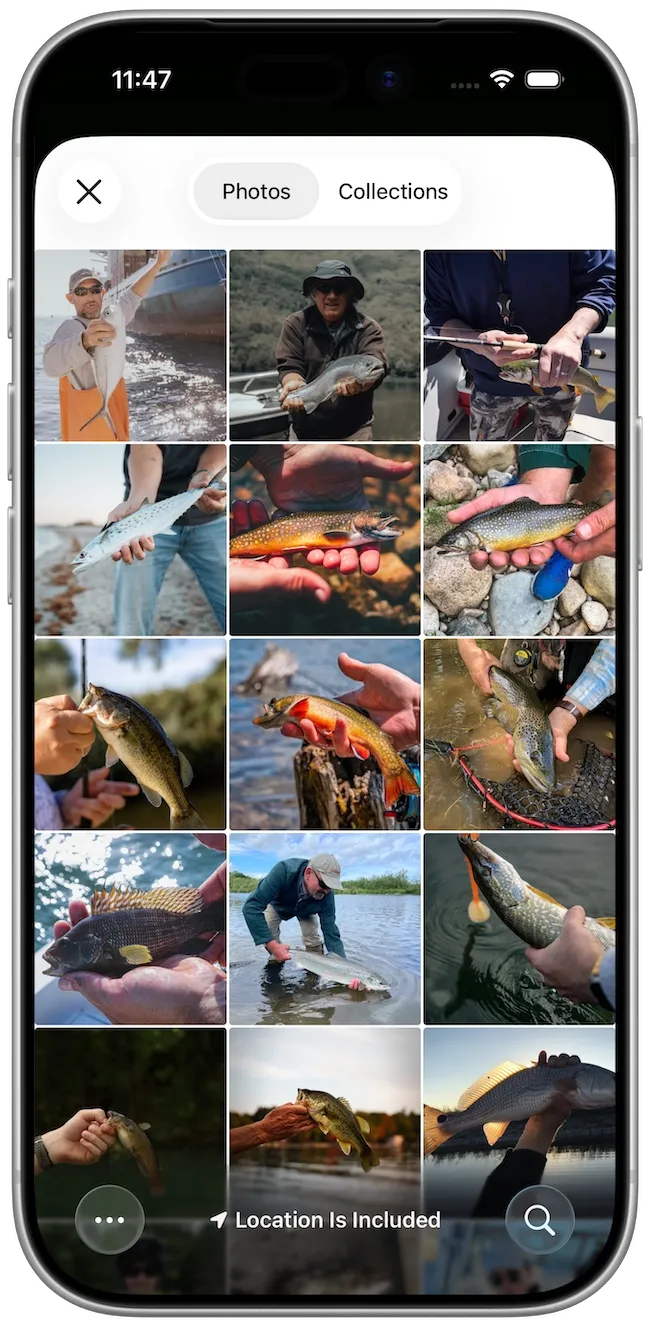
You can identify a fish in two ways: take a new photo right in the app, or run identification on a picture you already have in your gallery. Fish ID automatically detects the fish in your photo and outlines it, and when there is more than one fish in the shot, you simply tap the one you want to identify.
Snap a photo or choose from your gallery
You can identify a fish in two ways: take a new photo right in the app, or run identification on a picture you already have in your gallery. Fish ID automatically detects the fish in your photo and outlines it, and when there is more than one fish in the shot, you simply tap the one you want to identify.
See your top matches
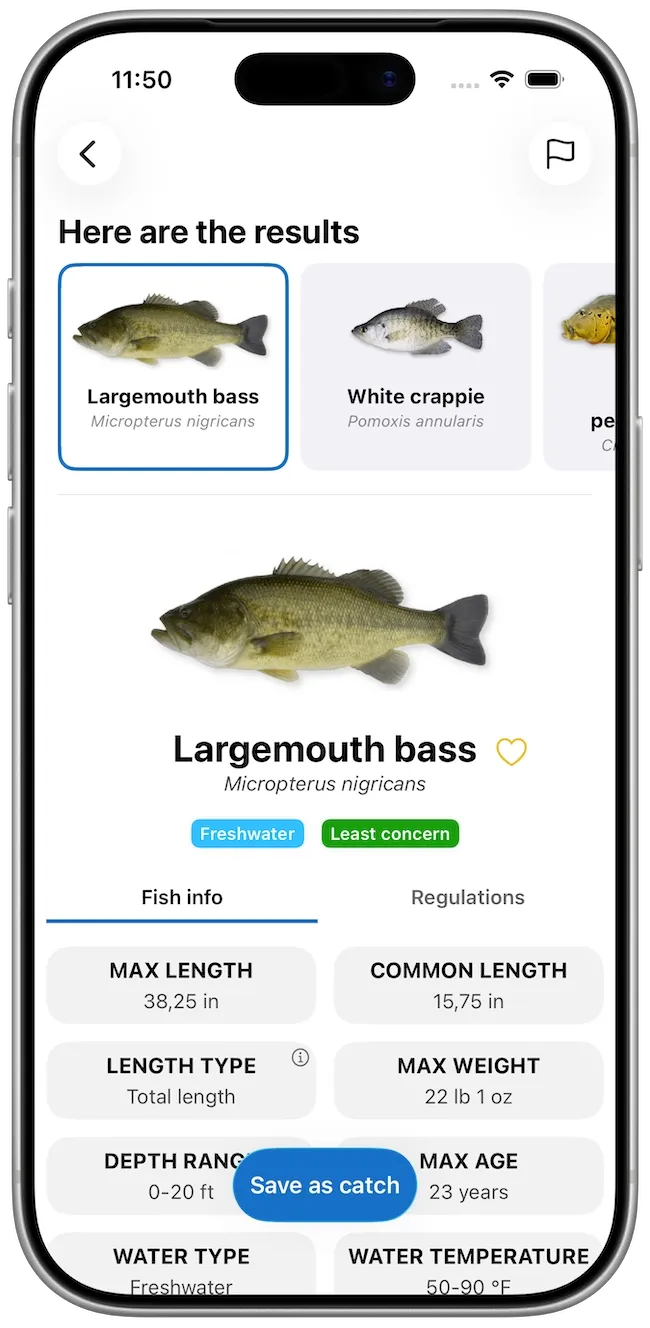
Fish ID shows the species that best match your catch, along with their scientific (Latin) names, and highlights your top match with a blue outline. If there are several close matches, you can easily review the other options and pick the one that fits best.
See your top matches
Fish ID shows the species that best match your catch, along with their scientific (Latin) names, and highlights your top match with a blue outline. If there are several close matches, you can easily review the other options and pick the one that fits best.
Fish info and regulations
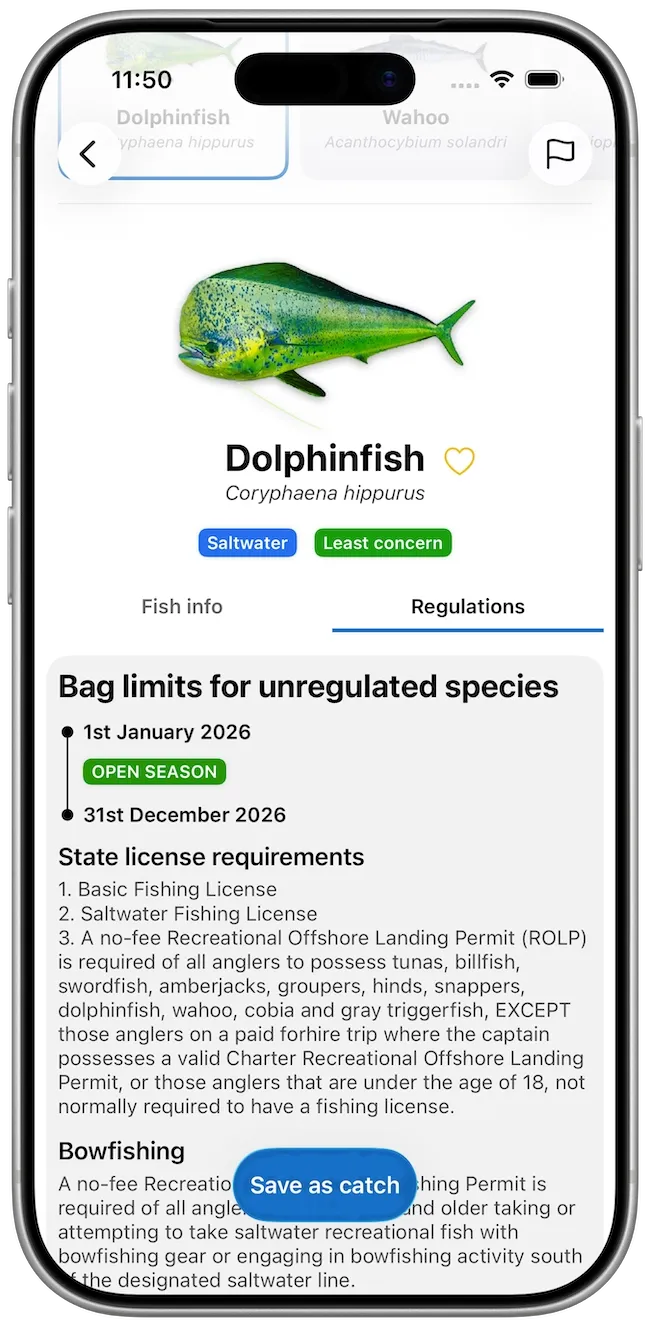
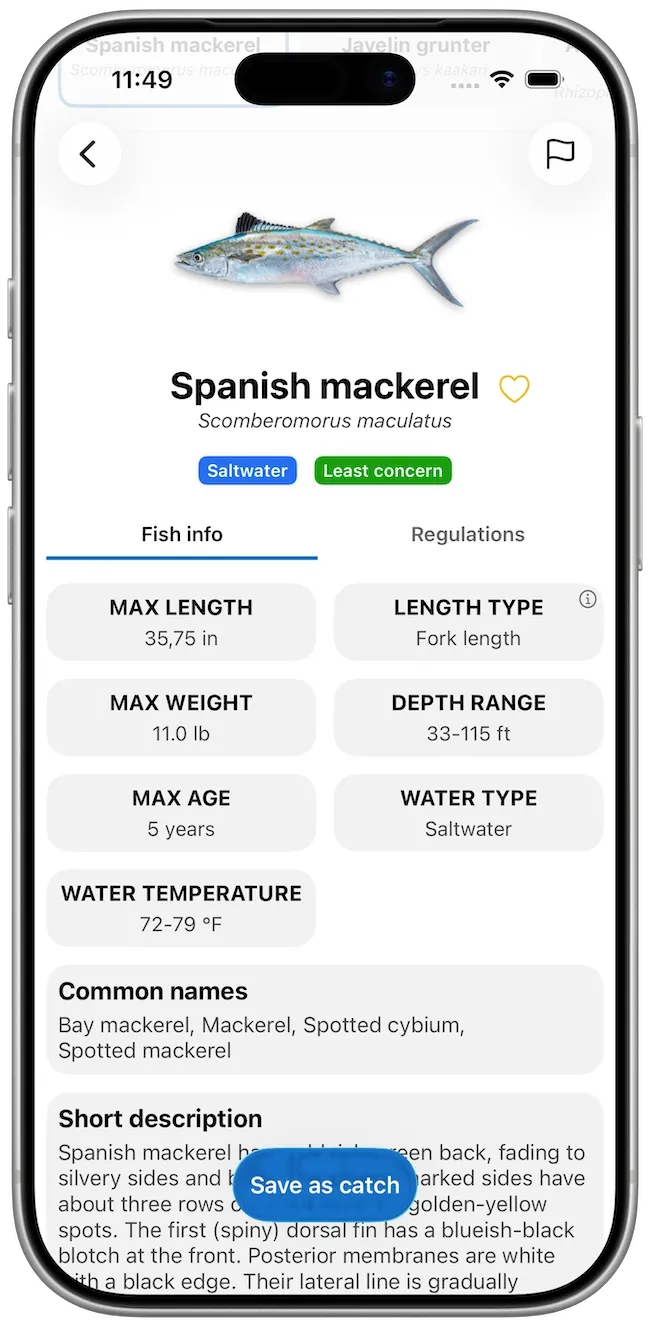
For supported species, your result connects to the same detailed fish information and local regulations found in Species & Regulations — descriptions, habitat, size, conservation status and more — so you can quickly learn about your catch and check the rules that apply. Even for species outside our database, Fish ID still gives you the name so you can learn more.
Fish info and regulations
For supported species, your result connects to the same detailed fish information and local regulations found in Species & Regulations — descriptions, habitat, size, conservation status and more — so you can quickly learn about your catch and check the rules that apply. Even for species outside our database, Fish ID still gives you the name so you can learn more.
Save it straight to your catch log
Happy with the result? Save it as a catch with a single tap. Fish ID automatically fills in the species name, plus the time and location from your photo, so your catch log stays complete without any extra typing.
Save it straight to your catch log
Happy with the result? Save it as a catch with a single tap. Fish ID automatically fills in the species name, plus the time and location from your photo, so your catch log stays complete without any extra typing.
Glossary
Scientific name
The Latin name of a species (e.g. Ctenopharyngodon idella for Grass carp), used to identify it precisely regardless of regional common names.
Primary match
The most likely fish species identified by Fish ID, clearly indicated with a blue outline among your results.
FAQ
Is FISH ID a Premium feature?
No. Fish ID is available to all Fishing Points users.
Do I need an internet connection?
Yes. Fish ID needs an internet connection to analyze your photo and return a result.
How do I get the best results?
Make sure the fish is clearly visible, well lit, and stands out from the background. If there are several fish in the photo, tap the one you want identified.
What if my fish isn't in the Species & Regulations database?
Fish ID can still recognize many species that aren't in our Species & Regulations database. You'll get the species name so you can learn more, even when detailed fish info and regulations aren't available for it.